
Stripe integration
Accept stablecoin payments through your existing Stripe checkout.
How it works
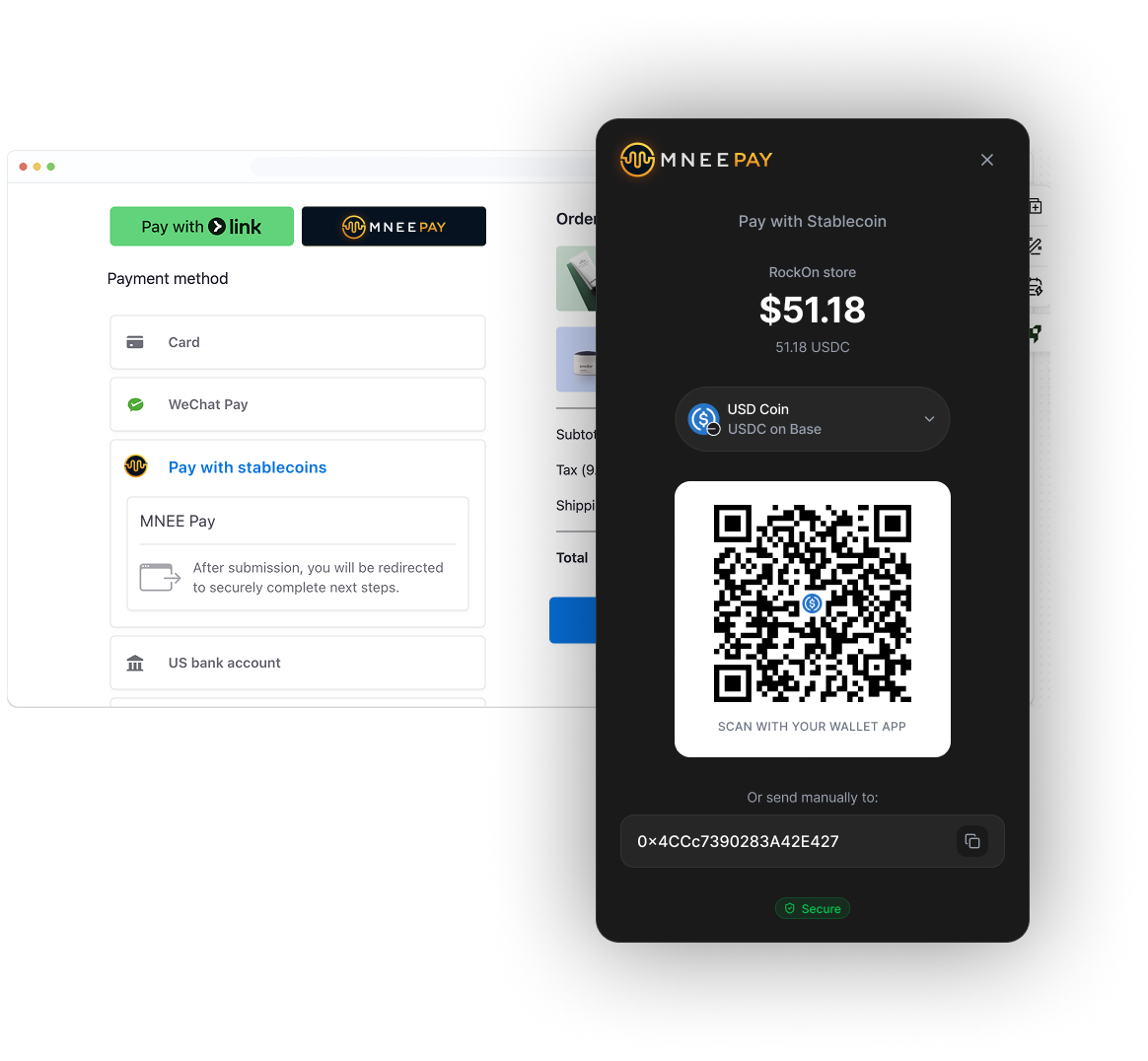
MNEE Pay works as a Stripe Custom Payment Method. When a customer chooses to pay with stablecoins at checkout, they're redirected to MNEE Pay to complete their payment via QR code. Funds land in your MNEE account instantly.
Before you begin, make sure you have:
- A Stripe account with dashboard access
- An existing Stripe Payment Element integration
- A verified MNEE Pay merchant account
- Your webhook endpoint URL
Step 1: Create your custom payment method in Stripe
This generates a unique identifier (CPMT_ID) that connects your Stripe checkout to MNEE Pay.
Log in to your Stripe Dashboard
Go to Settings → Payments → Custom Payment Methods
Click "Create custom payment method"
Click "Provide custom name and icon"
Enter the following details:
| Field | Value |
|---|---|
| Display name | Pay with stablecoin |
| Logo | Download MNEE Pay logo (16×16px) |

Click Create
Copy the generated CPMT_ID (starts with cpmt_)
Step 2: Register your Stripe custom payment method in MNEE Pay
This creates the connection between your Stripe checkout and MNEE Pay's payment processing.
After creating, you'll receive a Module ID to use in your redirect URL.
Or if you already have an integration, go to Merchant tools → Modules to manage it.
Step 3: Update your checkout code
Add the custom payment method to your Stripe Elements configuration.
customPaymentMethods: [
  {
    id: 'YOUR_CPMT_ID',
    options: { type: 'static', subtitle: 'USDC, USDT, and more' }
  }
]
View full integration examples
Step 4: Configure your webhook endpoint
This lets your webhook endpoint receive payment confirmations at the URL you specified in Step 2.
// POST /webhooks/mnee
app.post('/webhooks/mnee', (req, res) => {
  const signature = req.headers['x-mnee-signature'];

  if (!verifySignature(req.body, signature)) {
    return res.status(401).send('Invalid signature');
  }

  const { reference, status, txHash } = req.body;

  if (status === 'confirmed') {
    await markOrderPaid(reference, txHash);
  }

  res.status(200).send('OK');
});
View webhook handler example
Start receiving payments in stablecoins!
Once you completed all steps sucesfully you will be set to allow your client to pay in crypto.
Additional resources
Ready to get started?
Create your Stripe integration now and start accepting stablecoin payments in minutes.
Need help? support@mneepay.com